In 2010 if you want to copy and paste only the text but not the formatting, on the Home tab click the arrow under the Paste button for Paste Options and select Keep Text Only.
Closed a document without saving?
Word 2010. 1. Go to the File tab –> Info –> Manage Versions. 2. Click on the little dropdown and select Recover Unsaved Documents. 3. Word will open up the folder UnsavedFiles, (where it keeps a copy of the draft document). Select the document you want and click the Open button.
Make tabs stand out
Right-click on tab and select Tab Color.
Cycle through open spreadsheets
Hold CTRL while hitting Page Up and Page Down (in Macs hold Fn also) and you can go from one sheet to the next.
Adding Special Characters to AutoCorrect (2010)

Click the File tab, then Options. Word displays the Word Options dialog box. At the left side of the dialog box click Proofing. Click the AutoCorrect Options button. In my example I am going to replace *s with §. In the Replace box, enter any characters that you’d like to use. In the example illustrated […]
Shortcut to view formulas
Ctrl+` (the accent grave is just to the left of the 1 key and above the Tab key.) Ctrl+` is a toggle, so it can be used to switch between the display of formulas and results.
Freeze Panes
Freeze panes (2010). You may want some rows or columns to stay in a fixed position, especially if your worksheet is very large. View->Freeze Panes->Freeze Top Row or First Column.
Split the Worksheet
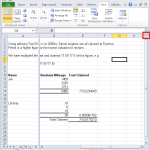
To view and scroll independently in different parts of a worksheet you can split into vertical and/or horizontal panes. This will enable you to click inside any one pane and scroll to locate information in that pane while the other panes remain in place. Move your curser to drag a split box (the small box […]
Tables and Tabs
In a table no tab character is inserted when you press the Tab key – you move to the next cell. You have to press Ctrl+Tab to create a tab character when the insertion point is inside a table cell.
Hyperlink within current document
One way to create a hyperlink quickly to a location within the same document is to use drag and drop. 1. Save the document first. 2. Select the image, phrase or word that you want to use as the destination for the hyperlink. 3. Right-click and hold down the mouse button whilst dragging the selection […]