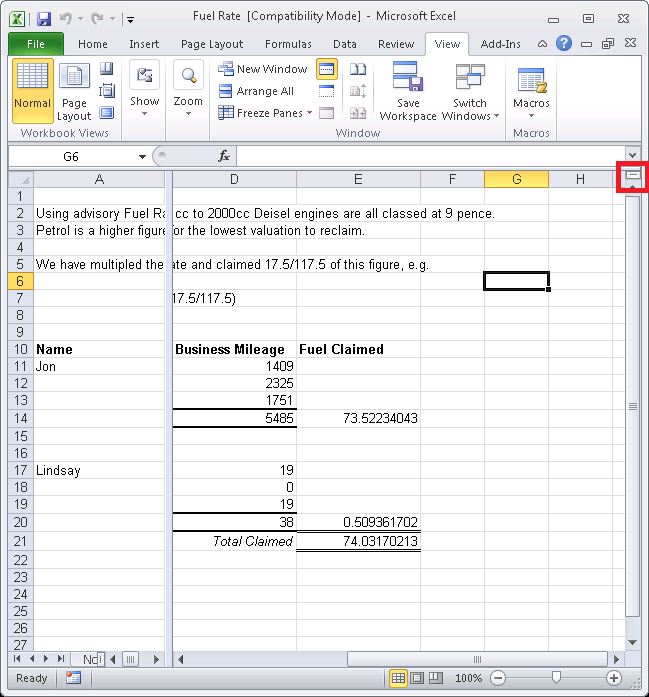
To view and scroll independently in different parts of a worksheet you can split into vertical and/or horizontal panes. This will enable you to click inside any one pane and scroll to locate information in that pane while the other panes remain in place.
Move your curser to drag a split box (the small box at the top of the vertical scroll bar, or at the right end of the horizontal scroll bar; your cursor will change to a double headed arrow) in the direction you want the split to appear. To remove the split, move the pointer over the split line until the pointer changes to a double headed arrow, then double-click the split line.
Using the menu select a cell you’d like to insert the intersection and go to the Ribbon Bar, select the View tab, then Split in the Window group (this is a toggle button so select Split again to remove).