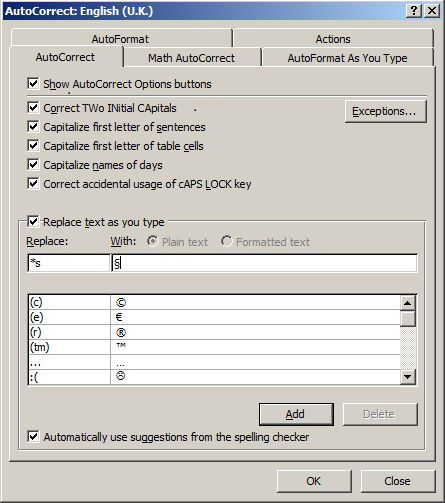
Click the File tab, then Options. Word displays the Word Options dialog box. At the left side of the dialog box click Proofing. Click the AutoCorrect Options button.
In my example I am going to replace *s with §.
In the Replace box, enter any characters that you’d like to use. In the example illustrated below I used *s. To add the special character, position the insertion point in the With box, hold down the Alt key, and press 0167 on the numeric keypad – the section mark § will appear. Click on Add, then OK.
Now whenever you type * followed by s (and then a space), Word will replace with the special character §.