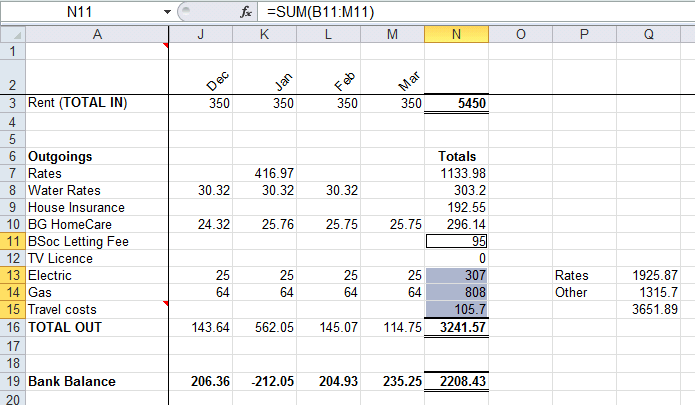
Excel 2010. To highlight all the cells referenced by a formula press Ctrl+[ (that’s Ctrl and open-square-bracket). The current selection will also move to the first of the referenced cells. Press Enter, and the selection moves to the next referenced cell, continue to press Enter to move though the rest of the referenced cells.