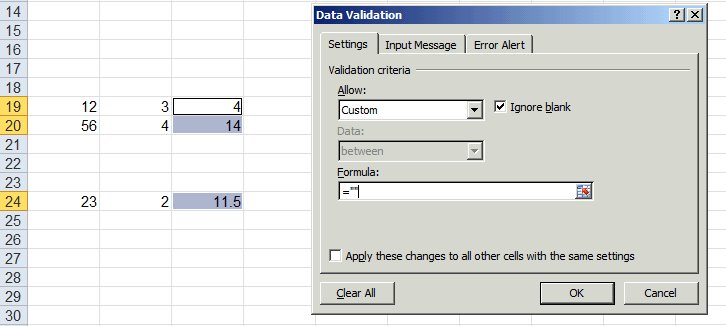
Firstly select all cells containing formulas in a worksheet:
1. Press F5.
2. Click Special, and then select the Formulas option.
3. Click OK.
Secondly validate data:
1. Ensure cells remain selected (e.g. don’t click in the worksheet to deselect).
2. From the Data tab (menu), select Data Validation or Validation…
3. Select the Settings tab, and select Custom from the Allow dropdown list.
4. In the Formula box, type =””, and then click OK.